


Pic Stitch: Collage Maker
3.43.14K Reviews
App Specs
- Version
- 8.0.0(876)
- Updated On
- License
- Free
- Downloads
- 5,000,000+
- Developer
- Maple Media
- Categories
- Photography
- Platform
- Android
Screenshots

 Analysis by AppCompare
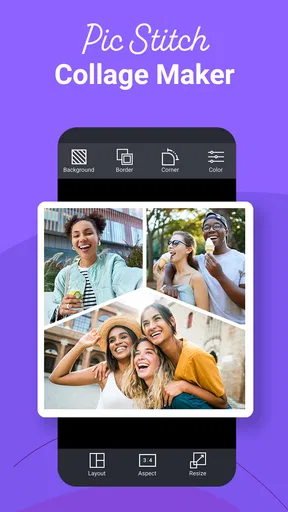
I like photo collage apps when they remove the small decisions that usually make a shared album feel unfinished. Pic Stitch takes that straightforward approach: choose several pictures, place them into a framed layout, and create one image that is easier to share than a scattered group of separate photos. After using it as a photography app, my view is that it works best as a quick visual organizer rather than a full photo editor. It is simple to understand, useful for everyday moments, and less intimidating than a more elaborate design tool, but its simplicity also becomes noticeable when you want precise control.
The app is free to install, with optional in-app purchases ranging from $0.99 to $99.99 per item. It is developed by Maple Media and carries a Teen content rating. Its long presence on mobile is reflected in its release date of October 15, 2014, while the current version is 8.0.0(876), requiring Android 6.0 or newer. That combination makes it feel like an established utility rather than a novelty: the main idea is familiar, but the usefulness depends on how quickly it helps me finish a collage without getting in the way.
A fast way to turn separate photos into one shareable image
The strongest part of the experience is the basic workflow. I can start with a handful of pictures, try a framed arrangement, and judge the result immediately. This matters because collage-making often fails when an app asks me to learn too many controls before showing anything useful. Here, the visual goal is clear from the beginning: fit several images into a single composition while keeping the photos recognizable.
I found this especially convenient after a day out with friends. Instead of sending a sequence of nearly identical pictures, I could combine a portrait, a food shot, and a wider scene into one compact image. The result felt more deliberate than a raw camera roll selection, yet it did not require the patience I would normally spend in a design-focused editor. For birthdays, weekend trips, family updates, or a small “before and after” comparison, that speed is the real reason to keep an app like this installed.
The framing is not merely decoration. A border gives each image its own visual space, which helps when the photos have different colors, lighting, or subjects. Without that separation, a collage can look crowded and accidental. Pic Stitch is at its best when I let the frame provide structure and avoid trying to force too many unrelated images into one square.
Another practical strength is that the app focuses on the finished composition instead of making me build a complete social post. That distinction is useful. If I already know where I want to share the image, I do not need an all-purpose template system, a large library of promotional layouts, or a complicated editing timeline. I can concentrate on selecting photos that tell one small story.
What makes the layout process useful
A good collage is usually decided before the layout is chosen. I get better results when I first remove duplicates and pictures with distracting backgrounds, then select images with a similar purpose. For example, three close-up portraits often work more naturally together than a portrait, a landscape, and a screenshot. Pic Stitch makes this kind of editing judgment visible because the finished image has limited space; weak selections stand out quickly.
Worth Reading Before You Choose

EA SPORTS FC Mobile 26 Is a Bigger Football Game, but It Takes Time

Flipboard Shows What News Apps Must Do Beyond the Feed

Switching to Android Auto Means Rethinking Your Driving Routine

Google Calendar Makes a Crowded Week Easier to Manage

Ludo King Makes the Most of the Minutes Between Plans

Baby Panda World Brings Quick Play to Modern Phones, but Its Game Library Feels Busy
One tip I found valuable is to choose the most important photo first and let the supporting images fill the remaining spaces. If every picture competes equally for attention, the collage can feel noisy. A strong main image surrounded by smaller complementary shots gives the viewer an obvious starting point. This is a simple habit, but it improves the result more than endlessly switching between layouts.
I also prefer using the app for a small set of photos instead of treating it as a container for an entire event. A compact selection preserves detail and makes the final image easier to understand on a phone screen. When I tried to include every memorable moment, the collage became more like a contact sheet than a finished picture. The app can arrange many images, but that does not mean every image deserves a place.
The framed approach is helpful for mixed camera sources as well. Photos taken indoors, outdoors, and in different orientations can look inconsistent when placed side by side. A consistent border gives them a shared visual language. It does not fix exposure or composition problems, but it hides some of the visual tension that appears when separate photos are viewed as one group.
Where it fits among other photography tools
Compared with the usual single-photo editor, Pic Stitch solves a different problem. A conventional editor is better when one image needs careful cropping, color correction, retouching, or detailed adjustments. This app is better when the creative decision is which images belong together and how they should sit beside one another. I would not open it expecting to replace a serious editor, because collage arrangement is its central job.
It also occupies a middle ground between a basic phone gallery and a broader design platform. A gallery can display multiple photos, but it usually does not turn them into a polished, framed composition. A design platform can offer more control over text, graphics, and page structure, but that flexibility often adds steps. Pic Stitch makes more sense when I want a photo-first result and do not need a poster, invitation, presentation, or branded social graphic.
That trade-off is important for anyone choosing between alternatives. If I need typography, layered stickers, detailed alignment, or a carefully controlled canvas, I would choose a more advanced design app. If I only need to place a few photos together quickly, the extra controls in those tools can feel like overhead. Pic Stitch earns its place through a narrower, faster purpose.
The app has attracted over 5 million installs, with an average rating of 3.4 from around 24 thousand ratings and about 3.1 thousand written reviews. Those figures suggest a broad audience but not universal satisfaction. My experience explains why opinions may vary: someone looking for a quick collage maker may find the focused workflow comfortable, while someone expecting a complete photo studio may see the same focus as a limitation.
The meaningful limitation: simplicity has a ceiling
The biggest weakness is not that the app is difficult; it is that the straightforward workflow can leave me wanting more control. Once I move beyond a basic framed collage, I start noticing the difference between arranging photos and designing a composition. Precise visual balance matters, particularly when one image has a bright subject and another has a dark background. The app can place the photos together, but I still have to do much of the artistic correction before importing them.
This is where preparation becomes essential. I now crop awkward photos in advance if their subject is too close to an edge or if the original framing does not suit a compact layout. A collage can make those problems more obvious than the individual photo did. Choosing the right source images is therefore part of using Pic Stitch well, not a separate concern.
There is also a practical reason to pay attention to the purchase model. The app is free, but optional purchases are available, and the listed range extends from $0.99 to $99.99 per item. I would treat the free experience as a chance to test whether the available workflow suits me before spending anything. For an occasional user, paying for extras may not be worthwhile; for someone who creates collages regularly, the value depends on whether the additional options genuinely improve a repeated process.
I would also avoid assuming that a collage automatically looks professional just because it has a frame. A border can organize a weak selection, but it cannot replace a clear visual idea. If the photos have unrelated subjects, clashing orientations, or very different levels of quality, the finished image may still look improvised. My best results came from editing the selection first and using the app as the final assembly step.
Another limitation is audience expectation. People who enjoy experimenting with detailed layouts may quickly outgrow a focused collage tool. They may want exact spacing, more expressive typography, layered decorations, or a workflow built around repeated templates. In that situation, a dedicated design application is the better choice, even if it takes longer to learn. Pic Stitch is most convincing when speed and simplicity matter more than deep customization.
Everyday uses that make sense
For personal sharing, I can see several situations where the app is genuinely convenient. A parent might combine a few pictures from a school event into one update. A traveler could place a landmark, a meal, and a street scene together without writing a long caption. Someone comparing a room before and after cleaning or rearranging could make the change easier to understand in a single image.
It is also useful for small visual records. I like the idea of creating a compact monthly snapshot from a few ordinary moments rather than saving dozens of disconnected pictures. The limitation is helpful here: selecting only a few images forces me to decide what actually represents the occasion. That makes the collage feel more personal than an automatic dump of the entire camera roll.
For selling a handmade item or showing a small project, the app can help present several angles together. I would still use a more advanced tool if the image needed prices, labels, logos, or carefully arranged instructions. But for a quick overview shared in a message, the framed layout can communicate the basic idea efficiently.
One less obvious use is checking consistency in a photography practice. I can place several images from the same subject into one composition and see whether the series feels coherent. This is not a substitute for a professional contact sheet or editing workflow, but it can reveal whether the chosen pictures repeat the same angle or lack a clear focal point. In that role, the app becomes a lightweight selection aid, not just a sharing tool.
I would be cautious with screenshots, documents, and text-heavy images. A collage layout may make small writing harder to read, especially when several panels compete for limited space. For instructions, receipts, or reference material, keeping the originals separate is usually more practical. The app is strongest with images that remain understandable when reduced, not content that depends on fine print.
Who should use it and who should skip it
I recommend Pic Stitch to someone who wants a quick way to combine personal photos without learning a full design system. It suits casual photographers, families, travelers, and anyone who regularly sends several related pictures but prefers one neat image. It is also a reasonable starting point for a person who has never made a collage before, because the purpose is immediately understandable.
I would recommend it less strongly to professional creators, small businesses needing consistent branded assets, or users who expect detailed photo correction inside the same app. Those users are likely to care about control over typography, spacing, image treatment, and repeatable visual standards. A broader design or editing tool would probably justify its extra complexity for them.
Before installing, I would ask one practical question: do I want a collage maker or a complete photo studio? If the answer is the former, this app’s focused approach is appealing. If the answer is the latter, I would save time by choosing a tool built around editing, graphic design, or social publishing from the start.
The Android requirements are also fairly accessible for users with older devices, since the app supports Android 6.0 and newer. That does not guarantee the same experience on every phone, but it means the app is not restricted to only recent hardware. I would still keep the final composition in mind while selecting photos, because a collage with too many tiny panels can be hard to view regardless of the device.
For younger users, the Teen content rating is worth noticing, particularly when the app is being considered for a shared family device. Adults should also remember that free installation and optional purchases are separate decisions. I would review the available choices carefully and use the app for a while before deciding whether any paid option fits my needs.
My final view after using it
Pic Stitch succeeds because it understands a common mobile-photo problem: I often have several pictures that belong together, but no reason to edit each one individually. The app gives those images a single frame and a clearer purpose. Its best quality is not an abundance of creative controls; it is the reduced distance between selecting photos and having something presentable.
That same focus defines the boundary of the recommendation. I would not choose it for elaborate campaigns, detailed retouching, or layouts that need exact design control. I would choose it for a holiday recap, a family update, a small comparison, or a quick visual summary that should look more considered than a row of attachments.
My overall verdict is positive but specific: this is a practical collage-first app for fast, low-pressure photo sharing. The free entry point makes it easy to try, the established product comes from Maple Media, and the current Android support keeps it accessible to many users. Just approach it with the right expectations. If you want a clean arrangement of related photos, it can save time; if you want a full creative studio, its simplicity will feel restrictive rather than refreshing.
Pros
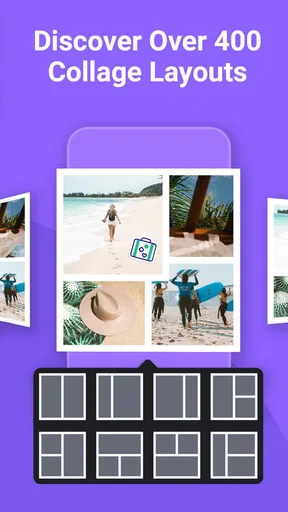
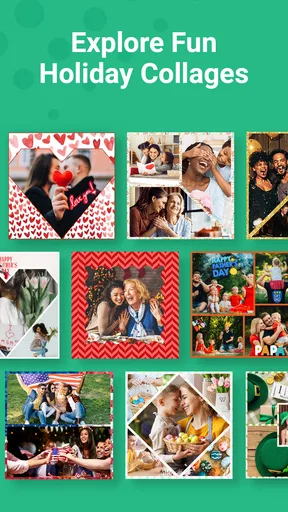
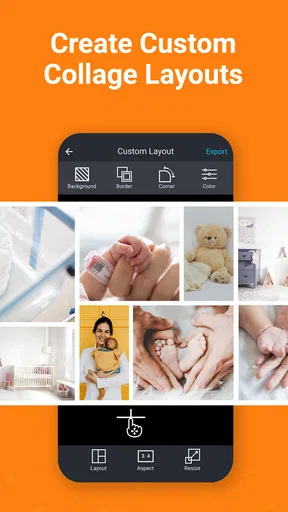
- Combines photos quickly with many ready-made collage layouts.
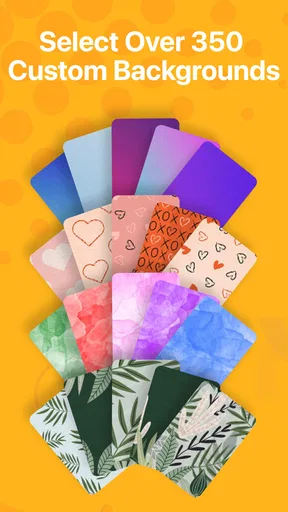
- Includes borders
- patterns
- and background options for extra customization.
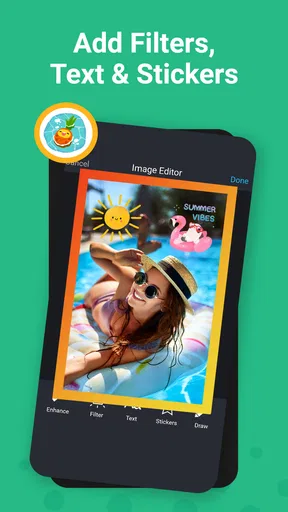
- Supports adding text
- stickers
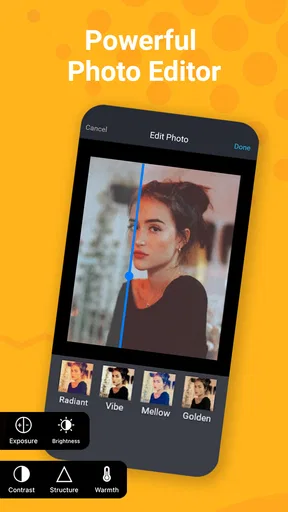
- and simple photo adjustments.
- Easy sharing to social networks and messaging apps.
- Works well for creating posts
- cards
- and photo grids on mobile.
Cons
- Many attractive layouts and tools require a paid subscription.
- The free version may add branding or limit export options.
- Some editing controls feel basic compared with full photo editors.
- Ads can interrupt the editing experience for free users.
- Large collages may take longer to export on older devices.
FAQs for Pic Stitch: Collage Maker
What is Pic Stitch: Collage Maker used for?
Pic Stitch: Collage Maker is a photo-editing app designed to combine multiple pictures into a single collage. After testing its main tools, we found that it offers a variety of layouts, borders, spacing controls, background options, and basic editing features. It is useful for creating social media posts, travel memories, before-and-after comparisons, event albums, and quick photo compositions without needing advanced design experience.
Is Pic Stitch: Collage Maker free to download and use?
The app can generally be downloaded for free, but some features, layouts, editing tools, or decorative options may be restricted to premium access. During use, free users may also encounter advertisements or prompts to upgrade. The exact pricing and available content can change with updates, so it is worth checking the current App Store or Google Play listing before subscribing or making an in-app purchase.
Does Pic Stitch support high-resolution photos and social media sharing?
Pic Stitch can import photos from a device gallery and arrange them into customized collages suitable for sharing. Export quality may depend on the selected settings, the original image resolution, the chosen layout, and whether a premium option is required. Finished collages can typically be saved to the device or shared through compatible apps, making it convenient for Instagram, Facebook, messaging services, and other platforms.
Is Pic Stitch: Collage Maker easy for beginners to use?
Yes, the app is generally approachable for beginners because its workflow is based on selecting a layout, adding photos, adjusting each image, and exporting the finished design. The interface does not require professional editing knowledge, and most controls are easy to understand after a short trial. However, users may need some time to explore the available templates, cropping gestures, borders, and customization settings.
Does Pic Stitch require an internet connection or access to personal photos?
Pic Stitch needs permission to access selected photos or the device media library so that you can create collages from your own images. Basic editing may work without a constant internet connection, although advertisements, cloud-related functions, premium verification, updates, or sharing services may require connectivity. Before installing, review the permissions requested by the current version and only grant access you are comfortable providing.


